How do I change spouse (mate) display order?
According to the genogram rules, the husband should be at
the left and the wife at the right of the family
relationship. However, there may be cases where one
wishes to have the second mate displayed at the right of the
spouse. Changing the mate order is sometimes desired
in family therapy to have the focus (index) family displayed in the
center of the genogram while having the other mates sideways.
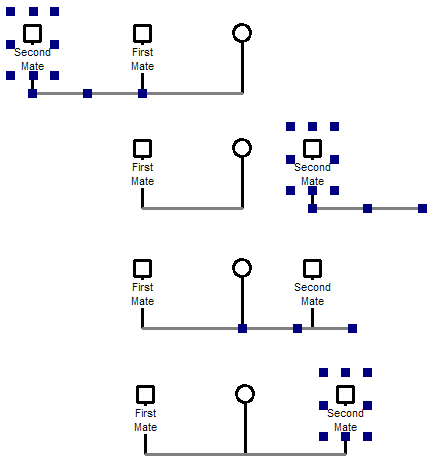
We made a step-by-step
video
showing how to change the mate order.
Changing the display order in the genogram does not change
the mate order in Family
Tab or in the
report generator. GenoPro determines the the mate
(spouse) order from the
marriage date (if
any). To override the mate order, select the
Family Tab and click on the button
[Change Spouse Order]. Make sure the radio button [Use spouse order from
the list below] is checked. Use the buttons [Move Before] and [Move After]
to change the spouse order.
|